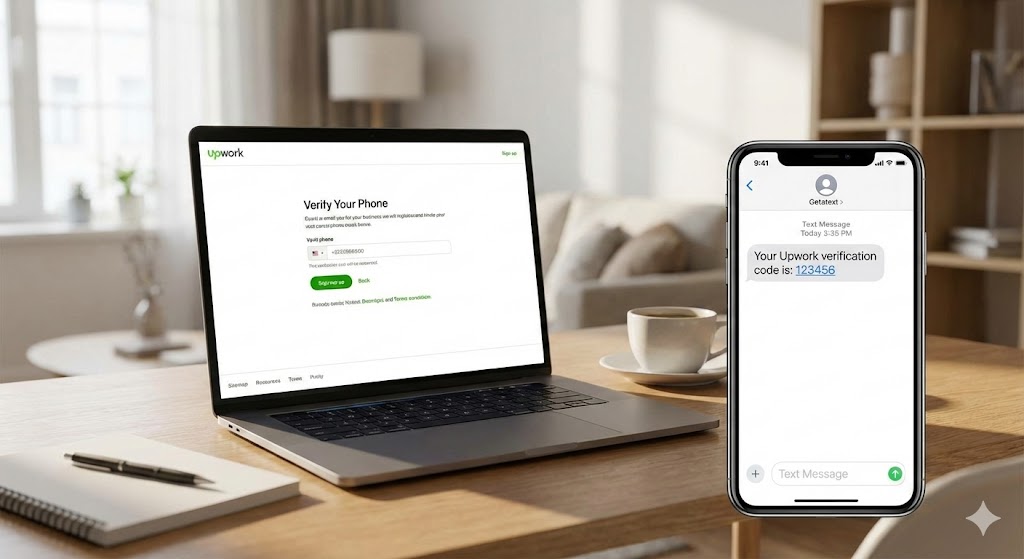
Upwork is one of the world's leading platforms for freelancers and agencies. Whether you are a graphic designer, a software developer, or a writer, creating a profile on Upwork is the first step toward connecting with clients globally. However, many new users encounter a significant roadblock during the registration process: Phone Number Verification.
Upwork employs strict security measures to prevent spam and fraudulent accounts. One of these measures is the requirement to verify your identity via a valid phone number. The problem? Upwork's system frequently detects and blocks virtual numbers (VoIP) provided by free apps or common online generators. To pass this step, you need a Non-VOIP number linked to a Real SIM card.
Why You Cannot Use Just Any Number
If you try to use a Google Voice number or a temporary SMS service found on a free website, Upwork will likely reject it or, worse, flag your account for suspension later. This happens because those numbers are classified as "virtual." To the system, they look suspicious.
The solution is simple: Getatext.com. We specialize in providing temporary phone numbers that are backed by real, physical SIM cards. This ensures that the OTP (One-Time Password) arrives instantly and that the platform recognizes the user as a legitimate mobile subscriber.
Step-by-Step Guide to Registering on Upwork
Follow these simple steps to create your account and bypass the verification hurdle using Getatext:
- Start the Sign-Up Process: Navigate to the Upwork homepage and click on "Sign Up." Choose whether you are a client hiring for a project or a freelancer looking for work, then fill in your basic information (name, email address, and password).
- Fill Out Your Profile: Upwork will ask for details regarding your skills, experience, and education. Complete these sections honestly to increase your chances of getting hired.
- The Verification Challenge: Eventually, you will reach the security checkpoint where Upwork asks for a mobile phone number to send a verification code via SMS. Do not use a personal number you wish to keep private, and do not use a VoIP app.
- Get a Number from Getatext:
- Go to https://getatext.com.
- Log in to your dashboard.
- Search for the service "Upwork" in our list.
- Rent a number. You will instantly receive a high-quality, Non-VOIP number ready to receive messages.
- Enter the Number on Upwork: Copy the number provided by Getatext and paste it into the Upwork verification field. Click to send the code.
- Receive the OTP: Return to your Getatext dashboard. Within seconds, the SMS code sent by Upwork will appear.
- Finalize Verification: Copy the OTP code and paste it back into Upwork. Your phone number is now verified, and your account is secure!
Why Choose Getatext for Upwork Verification?
We understand that as a freelancer, you want to get started without high overhead costs. Getatext is designed to solve the OTP problem efficiently:
- Real SIM Cards: We do not use virtual numbers. Our numbers come from physical cellular carriers, guaranteeing the highest success rate for verifications.
- Non-VOIP: Our numbers are indistinguishable from a standard mobile phone user to Upwork's security bots.
- Low Cost: You can rent a number for a specific service at a fraction of the cost of maintaining a second phone line.
- Instant Delivery: No waiting. As soon as you select the service, the number is yours to use.
Don't let a simple SMS verification stop you from launching your freelancing career. Use Getatext to ensure your Upwork registration is smooth, secure, and successful.